

In today's data-driven world, site selectors rely heavily on web maps to make informed decisions about potential locations. The user experience (UX) of these web maps is paramount. An intuitive interface can significantly enhance a site selector's ability to efficiently gather and analyze crucial information, ultimately leading to better investment choices. Effective UX design in web maps requires a deep understanding of the user's needs, goals, and technical proficiency.
Understanding the Needs of Site Selectors
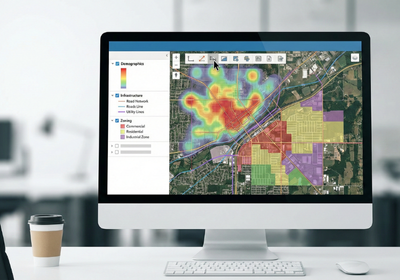
Before diving into design elements, it's crucial to understand what site selectors look for in a web map. They typically need to access a wide range of data layers, including demographics, infrastructure, zoning regulations, and competitive landscapes. The ability to easily filter, compare, and analyze this data is essential. Furthermore, site selectors often require tools for measuring distances, calculating areas, and generating reports. A well-designed web map should provide these functionalities in a clear and accessible manner.
Key Elements of an Intuitive Web Map Interface
Several key elements contribute to a positive user experience in web maps for site selectors:
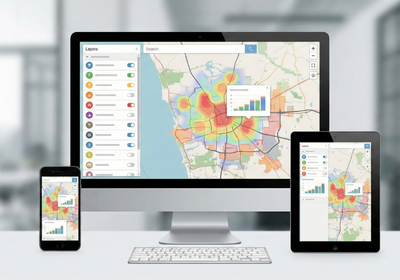
Clear and Concise Navigation: The map interface should be easy to navigate, with intuitive controls for zooming, panning, and rotating. Consider implementing a search function that allows users to quickly locate specific addresses, landmarks, or points of interest.
Data Layer Management: Provide a well-organized layer control panel that allows users to easily toggle data layers on and off. Use clear and descriptive labels for each layer, and group related layers together for better organization.
Interactive Data Visualization: Utilize interactive charts, graphs, and infographics to present data in a visually appealing and easily digestible format. Allow users to drill down into the data for more detailed information.
Customizable Analysis Tools: Offer a suite of analysis tools that allow users to perform tasks such as site suitability analysis, market analysis, and competitive analysis. These tools should be customizable to meet the specific needs of each user.
Mobile Responsiveness: Ensure that the web map is fully responsive and accessible on all devices, including desktops, tablets, and smartphones. Site selectors often need to access information while on the go, so mobile compatibility is crucial.
Leveraging GIS Technology for Enhanced UX
Geographic information services (GIS) technology plays a vital role in creating effective web maps for site selectors. A robust GIS mapping system can provide the foundation for a powerful and user-friendly interface. GIS enables the integration of diverse data sources, the creation of custom map layers, and the implementation of advanced analysis tools. For GIS urban planning, web maps can provide valuable insights into land use patterns, transportation networks, and environmental factors.
Moreover, advanced visualization techniques like 3D map rendering can offer a more realistic and immersive view of potential sites. Incorporating an interactive map for website can significantly enhance user engagement and provide a more dynamic and informative experience.
Creating an intuitive and user-friendly web map requires careful planning and attention to detail. By understanding the needs of site selectors and leveraging the power of GIS technology, you can develop a web map that empowers users to make informed decisions and drive economic growth. Flyer View Group is dedicated to providing comprehensive, integrated marketing solutions, including cutting-edge web mapping services. We help our clients tell their story through data, maps, motion, and graphics. Contact us today to learn more about how our services can benefit your organization or explore our website to learn about our Community Profile products and GIS/Mapping services.